
Business IT Support Services in London Business IT Support Services in London
  • Business IT Support
    • IT Services
    • IT Support Services
      • IT Support Contract
      • Server Support
      • Internet Packages
      • Data Recovery
    • Cloud Services
      • Website Hosting
      • Hosted Desktop
      • Office 365 Support
      • Office 365 Migration Services
      • Data Backup
      • Email Signature Management
      • Managed IT Security
    • SEO
      • SEO Consultancy
      • Keyword Research
      • Position Tracking
      • Fixed Price SEO
    • Website Design
      • Joomla Support Services
      • Wordpress Support Services
      • Joomla Emergency Support
      • Joomla Troubleshooting and Repair
      • Joomla Upgrades & Migrations
      • Joomla Security Audits and Malware Removal
      • Joomla Website Health Check
      • Joomla Website Hosting
      • Joomla Content and Admin Support
    • IT Support Packages
    • Joomla Maintenance and Updates
    • Cyber Security
  • Repairs and Support
    • Computer Repair London
    • Laptop Repair London
    • Remote IT Support
    • PC Health Check
    • Apple Mac Repair
    • Workstation PCs
    • Gaming PCs
    • Data Recovery Services
  • Our Company
    • About SysFix IT Support
    • Contact Us
    • Terms and Conditions
    • Blog
    • Armed Forces Support
 
Business IT Support Services in London Business IT Support Services in London
  • Business IT Support

    Cloud Services

    • Cyber Security
    • Website Hosting
    • Hosted Desktop
    • Office 365 Support
    • Office 365 Migration Services
    • Data Backup
    • Email Signature Management
    • Managed IT Security

    SEO

    • SEO Consultancy
    • Keyword Research
    • Position Tracking
    • Fixed Price SEO

    Business IT Support Services

     book online computer help

    IT Support Services

    • Server Support
    • Internet Packages
    • Data Recovery
    • IT Support Contract
    • IT Support Packages

    Website Support Services

    • Joomla Support Services
    • Wordpress Support Services
    • Joomla Emergency Support
    • Joomla Troubleshooting and Repair
    • Joomla Upgrades & Migrations
    • Joomla Maintenance and Updates
    • Joomla Upgrades & Migrations
    • Joomla Security Audits and Malware Removal
    • Joomla Website Health Check
    • Joomla Website Hosting
    • Joomla Content and Admin Support
  • Repairs and Support

    Repair and Support

    • Computer Repair London
    • Laptop Repair London
    • Remote IT Support
    • PC Health Check
    • Apple Mac Repair
    • Data Recovery Services

    Custom Built Computers

    • Workstation PCs
    • Gaming PCs
  • Our Company
    • About SysFix IT Support
    • Contact Us
    • Terms and Conditions
    • Blog
    • Armed Forces Support
Contact Us 020 3095 7740
Remote IT Support
 

Why Should You Perform a PC Health Check?

IT Support Articles
Friday, 09 October 2026
Why Should You Perform a PC Health Check?

There is a moment every small business owner knows. You sit down to send an important quote, and the computer takes an age to wake up, then freezes halfway through loading your email. You wait, you sigh, and you get on with something else. Multiply that by five staff and most working days, and the real cost starts to add up.

In a nutshell
✓Regular PC health checks catch small problems before they become expensive failures.
✓Most slowdowns come from full disks, outdated software and too many background programs.
✓A simple monthly routine keeps computers faster, safer and easier to support.
✓Backups and updates are the two checks you should never skip.

What a PC health check actually involves

A PC health check is not a mysterious technical ritual. It is a straightforward review of the things that most often cause computers to slow down, crash or get compromised. Think of it like a service for your car: you are looking for worn parts and topping up what needs topping up before something breaks on the motorway.

A sensible check covers:

  • ✓Storage: how full the hard drive or SSD is, and whether it is showing early signs of failure.
  • ✓Updates: whether Windows, your browser, antivirus and key business applications are current.
  • ✓Startup and background programs: what is launching automatically and quietly eating memory.
  • ✓Security: antivirus status, firewall settings and any suspicious software.
  • ✓Backups: whether your important files are actually being copied somewhere safe, and whether those copies can be restored.

None of this requires a computer science degree. It requires a checklist and half an hour of attention.
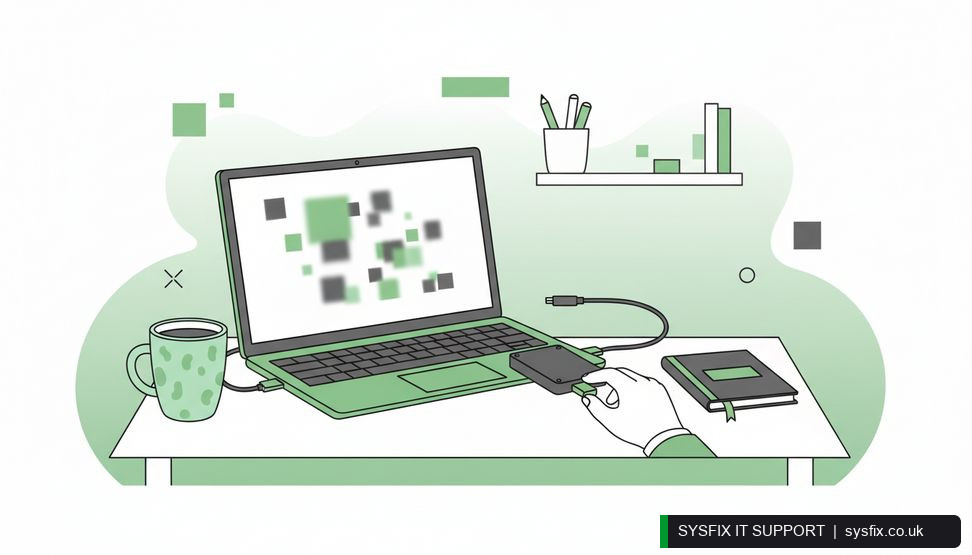
Hands connecting an external backup drive to a laptop on an office desk

The real pain: slow computers quietly cost you money

Let us focus on the problem you feel most days: the computer that has become painfully slow. It rarely happens overnight. A drive fills up with old downloads, a dozen programs decide to start with Windows, and an update has not been installed for months. Each change is small. Together they turn a two-year-old machine into something that feels ten years old.

The cost is not just the machine. It is the staff member waiting for a file to open, the customer left hanging on a call, the invoice that goes out a day late. Those minutes are hard to see individually, but they add up across a team.

Here is the good news: most of this is fixable, often in a single session. Clearing space, trimming startup programs and applying updates can make a noticeable difference on the same day. If you would rather hand the job to someone who does it every week, a professional PC health check covers performance, security and backup in one visit, and you get a plain-English report of what was found.

💡 Pro tip: Pick one slow PC this week, clear at least ten per cent of its disk space and disable unnecessary startup programs, then restart and time how long it takes to become usable.

Security and backups: the checks that matter most

Performance gets the complaints, but security and backups prevent the disasters. An unpatched computer is an open door. Most malware does not need a clever hacker; it just needs a machine that has missed its updates.

Check that your antivirus is running and up to date, that Windows updates are installing, and that staff are not disabling security prompts to get on with their work. If you handle client data, this is not optional. Our cyber security services cover the wider picture, but a PC health check is where you spot the individual weak points.

Then check your backups, and this is the step people skip. A backup that has never been tested is a hope, not a plan. Open a recent backup and restore one file. If that works, you can breathe. If it does not, you have found a problem while it is still cheap to fix. A proper data backup setup, checked regularly, turns a ransomware attack or a dead drive from a business-ending event into an inconvenience.

How often should you check, and what can you do today

For a typical small business machine, a light monthly check and a deeper review every three to six months works well. Newer machines need less attention; older ones, or those running heavy software, need more.

You can start today with three simple actions:

  • ✓Open File Explorer and check how much free space your main drive has. If it is under ten per cent, clear old downloads, videos and duplicate files.
  • ✓Press Ctrl+Shift+Esc to open Task Manager, click the Startup tab, and disable anything you do not recognise or need at login.
  • ✓Run Windows Update and restart, even if it is inconvenient. Do it at the end of the day.

If a machine is still slow after that, or you are not confident poking around, that is the point to bring in help rather than guess. For teams without in-house IT, a support contract means these checks happen on a schedule without anyone having to remember.

Turning checks into a habit

The businesses that avoid nasty surprises are rarely the ones with the biggest IT budgets. They are the ones that look after the basics consistently. A PC health check is that basic: a short, regular habit that keeps computers fast, data safe and staff productive.

Put it in the calendar. Assign it to someone. Keep a simple record of what was checked and when, so you can spot a machine that is declining before it fails. If you would rather not think about it at all, that is exactly the kind of routine work an IT partner handles quietly in the background.

Book a PC health check for your team

If your computers are slowing you down, our engineers can check performance, security and backups and give you a clear, plain-English report. Get in touch to arrange a visit.

Explore PC health check → Book a FREE IT Consultation →
Or call 020 3095 7740

Related services: IT support contracts · cyber security services · data backup

×
Stay Informed

When you subscribe to the blog, we will send you an e-mail when there are new updates on the site so you wouldn't miss them.

Related Posts

Microsoft 365 MFA Setup for Small Business

IT Support Articles

Microsoft 365 Copilot Security: Audit Guide for SMBs

IT Support Articles

Why Cheap Computers Under £500 Cost You More

IT Support Articles

Business IT Support Services

 book online computer help

CONTACT INFORMATION

SysFix IT Support & Computer Repairs
AMP House
4 Dingwall Road
Croydon
CR0 2LX

020 3095 7740

Location
Find us on Google Maps

BUSINESS IT SUPPORT

  • IT Support Packages
  • IT Support Croydon
  • IT Support Surrey
  • IT Support Kent
  • IT Support Brighton
  • Outsourced IT Support
  • Managed IT Services
  • Remote IT Support
  • GDPR Privacy Policy

IT SUPPORT SERVICES

  • IT Support Contract
  • Email Hosting and Office 365 
  • UK Cloud Data Backup
  • Server Support and Maintenance
  • Data Recovery London
  • Computer Repair London

IT companies in london

© SysFix IT Support Ltd, 2003-2026
VAT Number: GB 206 7821 12
Company Number: 09416191