
Business IT Support Services in London Business IT Support Services in London
  • Business IT Support
    • IT Services
    • IT Support Services
      • IT Support Contract
      • Server Support
      • Internet Packages
      • Data Recovery
    • Cloud Services
      • Website Hosting
      • Hosted Desktop
      • Office 365 Support
      • Office 365 Migration Services
      • Data Backup
      • Email Signature Management
      • Managed IT Security
    • SEO
      • SEO Consultancy
      • Keyword Research
      • Position Tracking
      • Fixed Price SEO
    • Website Design
      • Joomla Support Services
      • Wordpress Support Services
      • Joomla Emergency Support
      • Joomla Troubleshooting and Repair
      • Joomla Upgrades & Migrations
      • Joomla Security Audits and Malware Removal
      • Joomla Website Health Check
      • Joomla Website Hosting
      • Joomla Content and Admin Support
    • IT Support Packages
    • Joomla Maintenance and Updates
    • Cyber Security
  • Repairs and Support
    • Computer Repair London
    • Laptop Repair London
    • Remote IT Support
    • PC Health Check
    • Apple Mac Repair
    • Workstation PCs
    • Gaming PCs
    • Data Recovery Services
  • Our Company
    • About SysFix IT Support
    • Contact Us
    • Terms and Conditions
    • Blog
    • Armed Forces Support
 
Business IT Support Services in London Business IT Support Services in London
  • Business IT Support

    Cloud Services

    • Cyber Security
    • Website Hosting
    • Hosted Desktop
    • Office 365 Support
    • Office 365 Migration Services
    • Data Backup
    • Email Signature Management
    • Managed IT Security

    SEO

    • SEO Consultancy
    • Keyword Research
    • Position Tracking
    • Fixed Price SEO

    Business IT Support Services

     book online computer help

    IT Support Services

    • Server Support
    • Internet Packages
    • Data Recovery
    • IT Support Contract
    • IT Support Packages

    Website Support Services

    • Joomla Support Services
    • Wordpress Support Services
    • Joomla Emergency Support
    • Joomla Troubleshooting and Repair
    • Joomla Upgrades & Migrations
    • Joomla Maintenance and Updates
    • Joomla Upgrades & Migrations
    • Joomla Security Audits and Malware Removal
    • Joomla Website Health Check
    • Joomla Website Hosting
    • Joomla Content and Admin Support
  • Repairs and Support

    Repair and Support

    • Computer Repair London
    • Laptop Repair London
    • Remote IT Support
    • PC Health Check
    • Apple Mac Repair
    • Data Recovery Services

    Custom Built Computers

    • Workstation PCs
    • Gaming PCs
  • Our Company
    • About SysFix IT Support
    • Contact Us
    • Terms and Conditions
    • Blog
    • Armed Forces Support
Contact Us 020 3095 7740
Remote IT Support
 

Microsoft 365 Copilot Security: Audit Guide for SMBs

IT Support Articles
Saturday, 10 October 2026
Microsoft 365 Copilot Security: Audit Guide for SMBs

Microsoft 365 Copilot is a powerful AI assistant that can transform how your team works. But if your Microsoft 365 environment isn't properly secured, Copilot can inadvertently expose confidential information to the wrong people. Before you deploy, you need to audit and lock down your data.

In a nutshell
✓Copilot inherits existing permissions, so oversharing risks are amplified.
✓Audit your SharePoint, Teams, and OneDrive permissions before deployment.
✓Use sensitivity labels and DLP to protect sensitive data.
✓Regular reviews and user training are essential for ongoing security.

Why Copilot Changes the Data Security Game

Microsoft 365 Copilot is an AI assistant that works across your Microsoft 365 apps. It can summarise emails, draft documents, and answer questions using your organisation's data. The key point: Copilot only surfaces information that a user already has permission to access. It doesn't grant new access rights.

So why the concern? Because in many small businesses, permissions are far too loose. Files and folders are often shared with 'Everyone' or 'All Company' for convenience. Over time, sensitive data like HR records, financial reports, and client contracts can end up in places where they shouldn't be. Copilot simply makes it easier to find and expose that oversharing.

For example, if your SharePoint site has a document library with confidential pricing shared with the entire company, Copilot will happily include that information when an employee asks for a summary of recent proposals. Without Copilot, that data might have stayed hidden in the noise. With Copilot, it's surfaced instantly.
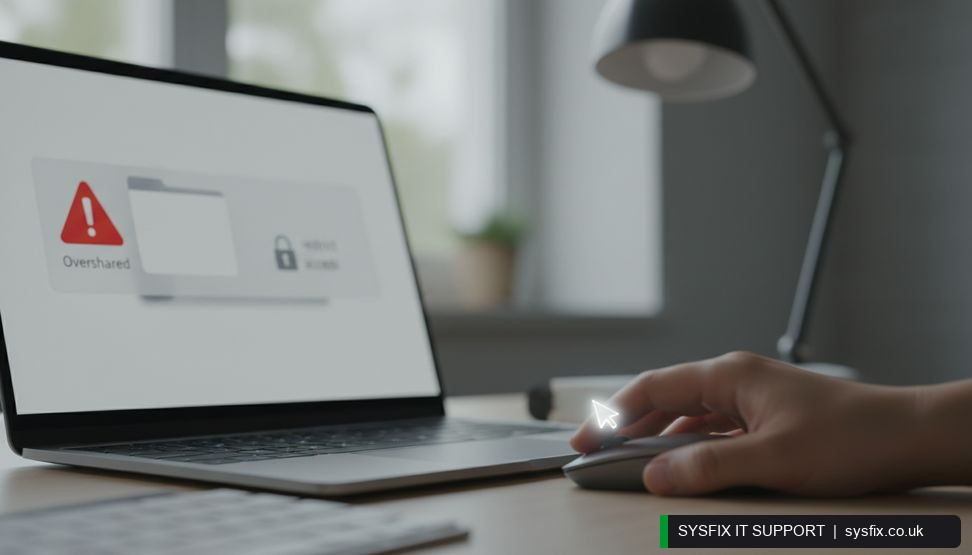
Admin adjusting sharing permissions in Microsoft 365 to prevent oversharing before Copilot deployment.

Step 1: Discover Where Your Sensitive Data Lives

Before you can secure anything, you need to know what data you have and where it is. Microsoft 365 provides tools to help:

  • ✓Microsoft Purview Compliance Portal: Use the Data Explorer and Content Explorer to see what sensitive information types (like credit card numbers or National Insurance numbers) exist across SharePoint, OneDrive, and Exchange.
  • ✓SharePoint Admin Center: Review site usage and sharing settings. Look for sites with 'Everyone' or 'Everyone except external users' permissions.
  • ✓Teams Admin Center: Check team and channel permissions, especially guest access.
  • ✓OneDrive: Users often share files externally without realising. Audit external sharing settings.

If you're not sure where to start, a Microsoft 365 support provider can run a discovery assessment for you. This typically involves using built-in reports and third-party tools to map out your data landscape.

💡 Pro tip: Start with a pilot group of 10-20 users. Monitor their Copilot usage and gather feedback before rolling out company-wide.

Step 2: Fix Overly Permissive Sharing

Once you know where the problems are, it's time to tighten permissions. Common oversharing scenarios include:

  • ✓Site collections shared with 'Everyone': Change to specific groups or individuals.
  • ✓Anonymous links: Disable or set to expire. In SharePoint Admin Center, set link expiration and restrict who can create them.
  • ✓Team sites with public access: Make them private and add only the necessary members.
  • ✓Inherited permissions: Break inheritance on sensitive folders and assign unique permissions.

Be careful not to break collaboration. Work with department heads to understand who needs access. A good rule of thumb: if someone doesn't need a file for their job, they shouldn't have access. This is also a good time to review guest users and remove stale accounts.

Struggling with Microsoft 365 Permissions?

We can audit your SharePoint, Teams, and OneDrive permissions and fix oversharing issues before Copilot makes them worse.

Explore Microsoft 365 support → Talk to SysFix →

Step 3: Apply Sensitivity Labels and DLP

Permissions alone aren't enough. You need data-level protection that travels with the file. Microsoft Purview offers:

  • ✓Sensitivity labels: Classify data as Public, Internal, Confidential, or Highly Confidential. Labels can encrypt content and restrict sharing.
  • ✓Data Loss Prevention (DLP) policies: Automatically detect and block sharing of sensitive information (e.g., credit card numbers) via email or Teams.
  • ✓Retention labels: Ensure data is kept only as long as needed, reducing exposure.

Start with a simple label taxonomy. For example, label all HR documents as 'Confidential' and configure the label to prevent external sharing. Train users on when to apply labels. Copilot respects these labels, so it won't surface encrypted content to unauthorised users.

For more on broader security measures, see our cyber security services.

Step 4: Secure Copilot Itself

Copilot has its own configuration settings. In the Microsoft 365 Admin Center, you can:

  • ✓Control which users can access Copilot.
  • ✓Restrict Copilot from accessing specific SharePoint sites or OneDrive accounts.
  • ✓Monitor Copilot usage via audit logs.

Also, ensure that multi-factor authentication (MFA) is enforced for all users. If an attacker compromises an account, they could use Copilot to quickly find sensitive data. MFA is a basic but critical control.

Consider using managed IT security to continuously monitor for suspicious activity and keep your defences up to date.

Common Mistakes to Avoid

Many small businesses rush their Copilot deployment and make these errors:

  • ✓Assuming Copilot is secure by default: It's not. It inherits your existing permissions.
  • ✓Skipping the audit: Without a baseline, you won't know what to fix.
  • ✓Over-restricting: Locking down too much can frustrate users and reduce productivity.
  • ✓Ignoring external sharing: Guests and external links are often overlooked.
  • ✓Forgetting user training: Users need to understand the risks and how to handle sensitive data.

Remember, security is a journey, not a one-off project. Regular reviews are essential.

Worried About Data Leaks?

Our cyber security services include DLP, sensitivity labelling, and monitoring to protect your sensitive data.

Explore cyber security services → Talk to SysFix →

Your Pre-Deployment Checklist

Use this checklist to prepare your environment for Copilot:

  • ✓Run a data discovery scan using Microsoft Purview.
  • ✓Review and reduce site permissions (remove 'Everyone' access).
  • ✓Disable anonymous links or set them to expire.
  • ✓Apply sensitivity labels to sensitive data.
  • ✓Configure DLP policies for key data types.
  • ✓Enforce MFA for all users.
  • ✓Restrict Copilot access to authorised users.
  • ✓Train staff on data handling and Copilot use.
  • ✓Schedule regular permission reviews (e.g., quarterly).

If you need help, consider an IT support contract that includes Microsoft 365 security assessments. Our IT support contracts can cover ongoing management and monitoring.

Ongoing Governance and User Training

Deploying Copilot isn't the finish line. You need ongoing governance to keep data secure. This includes:

  • ✓Regular access reviews: Use Access Reviews in Azure AD to recertify group memberships.
  • ✓Monitoring: Set up alerts for unusual Copilot activity or mass downloads.
  • ✓User education: Run short training sessions on data classification and safe AI use.
  • ✓Incident response: Have a plan for data leaks or account compromises.

Also, keep an eye on Microsoft's roadmap. New Copilot features may introduce new risks. Stay informed via the Microsoft 365 Message Center.

For charities, data protection is equally critical. If you're a non-profit, our charity-focused MSP can help you navigate these challenges with tailored support.

Need Help Securing Microsoft 365 Copilot?

Our Microsoft 365 experts can audit your environment, fix oversharing, and deploy Copilot securely. Contact us for a no-obligation chat.

Explore Microsoft 365 support → Book a FREE IT Consultation →
Or call 020 3095 7740

Related services: Microsoft 365 support · cyber security services · managed IT security

×
Stay Informed

When you subscribe to the blog, we will send you an e-mail when there are new updates on the site so you wouldn't miss them.
Related Posts

Microsoft 365 MFA Setup for Small Business

IT Support Articles

Why Cheap Computers Under £500 Cost You More

IT Support Articles

How Cyber Security Awareness Training Cuts Breach Risk

IT Support Articles

Business IT Support Services

 book online computer help

CONTACT INFORMATION

SysFix IT Support & Computer Repairs
AMP House
4 Dingwall Road
Croydon
CR0 2LX

020 3095 7740

Location
Find us on Google Maps

BUSINESS IT SUPPORT

  • IT Support Packages
  • IT Support Croydon
  • IT Support Surrey
  • IT Support Kent
  • IT Support Brighton
  • Outsourced IT Support
  • Managed IT Services
  • Remote IT Support
  • GDPR Privacy Policy

IT SUPPORT SERVICES

  • IT Support Contract
  • Email Hosting and Office 365 
  • UK Cloud Data Backup
  • Server Support and Maintenance
  • Data Recovery London
  • Computer Repair London

IT companies in london

© SysFix IT Support Ltd, 2003-2026
VAT Number: GB 206 7821 12
Company Number: 09416191