
Business IT Support Services in London Business IT Support Services in London
  • Business IT Support
    • IT Services
    • IT Support Services
      • IT Support Contract
      • Server Support
      • Internet Packages
      • Data Recovery
    • Cloud Services
      • Website Hosting
      • Hosted Desktop
      • Office 365 Support
      • Office 365 Migration Services
      • Data Backup
      • Email Signature Management
      • Managed IT Security
    • SEO
      • SEO Consultancy
      • Keyword Research
      • Position Tracking
      • Fixed Price SEO
    • Website Design
      • Joomla Support Services
      • Wordpress Support Services
      • Joomla Emergency Support
      • Joomla Troubleshooting and Repair
      • Joomla Upgrades & Migrations
      • Joomla Security Audits and Malware Removal
      • Joomla Website Health Check
      • Joomla Website Hosting
      • Joomla Content and Admin Support
    • IT Support Packages
    • Joomla Maintenance and Updates
    • Cyber Security
  • Repairs and Support
    • Computer Repair London
    • Laptop Repair London
    • Remote IT Support
    • PC Health Check
    • Apple Mac Repair
    • Workstation PCs
    • Gaming PCs
    • Data Recovery Services
  • Our Company
    • About SysFix IT Support
    • Contact Us
    • Terms and Conditions
    • Blog
    • Armed Forces Support
 
Business IT Support Services in London Business IT Support Services in London
  • Business IT Support

    Cloud Services

    • Cyber Security
    • Website Hosting
    • Hosted Desktop
    • Office 365 Support
    • Office 365 Migration Services
    • Data Backup
    • Email Signature Management
    • Managed IT Security

    SEO

    • SEO Consultancy
    • Keyword Research
    • Position Tracking
    • Fixed Price SEO

    Business IT Support Services

     book online computer help

    IT Support Services

    • Server Support
    • Internet Packages
    • Data Recovery
    • IT Support Contract
    • IT Support Packages

    Website Support Services

    • Joomla Support Services
    • Wordpress Support Services
    • Joomla Emergency Support
    • Joomla Troubleshooting and Repair
    • Joomla Upgrades & Migrations
    • Joomla Maintenance and Updates
    • Joomla Upgrades & Migrations
    • Joomla Security Audits and Malware Removal
    • Joomla Website Health Check
    • Joomla Website Hosting
    • Joomla Content and Admin Support
  • Repairs and Support

    Repair and Support

    • Computer Repair London
    • Laptop Repair London
    • Remote IT Support
    • PC Health Check
    • Apple Mac Repair
    • Data Recovery Services

    Custom Built Computers

    • Workstation PCs
    • Gaming PCs
  • Our Company
    • About SysFix IT Support
    • Contact Us
    • Terms and Conditions
    • Blog
    • Armed Forces Support
Contact Us 020 3095 7740
Remote IT Support
 

Why Cheap Computers Under £500 Cost You More

IT Support Articles
Saturday, 10 October 2026
Why Cheap Computers Under £500 Cost You More

That £450 laptop on a flash sale looks like a bargain until you're waiting three minutes for Outlook to open. For a small business, a cheap computer isn't a saving, it's a daily tax on your time. Here's what actually matters when you buy your next machine.

Quick summary
✓Sub-£500 computers cut corners on processor, RAM and storage that you'll feel every day.
✓In 2026, 16GB RAM should be your minimum for business use.
✓A 256GB SSD fills up fast once you add Windows, Office and your files.
✓Match the spec to the job, CAD and Photoshop need far more than email and browsing.

1The real cost of a cheap computer

A computer under £500 usually gets there by using a low-powered processor, 8GB of RAM (sometimes less) and a small, slow drive. On paper it says "Intel Core i5" or "Ryzen 5", but it's often a cut-down version with fewer cores and lower clock speeds than the same name in a proper business machine.

You feel it in small ways that add up. Windows takes longer to boot. Teams calls stutter. Ten browser tabs and Excel start swapping to disk. Over a three-year life, that's hours of lost productivity per person, plus the cost of replacing the machine sooner because it can't keep up.

Cheap machines also tend to have plastic hinges, non-replaceable batteries and limited ports. They aren't built to be repaired, so when something fails you replace the whole thing rather than a part. That's not a saving, it's a subscription to frustration.

If you already have machines like this, a PC health check can tell you whether an upgrade or a replacement makes more sense.
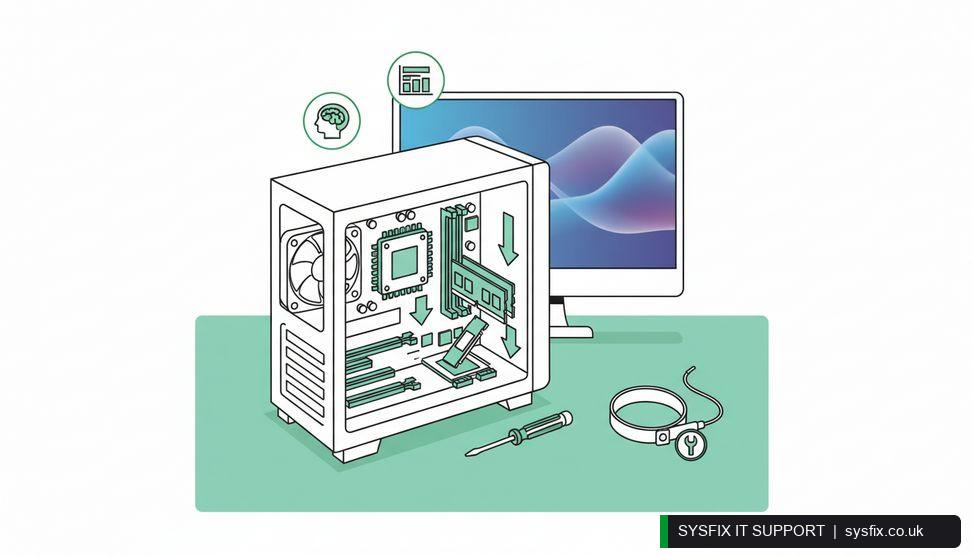
Close-up of computer components being installed inside a desktop case

2Processors explained: i3, i5, i7, i9

Intel's Core naming is a rough guide to how many cores and threads you get, and how hard the chip can work before it slows down.

  • ✓i3 – basic dual or quad-core. Fine for a till, a kiosk or very light browsing. Not for multitasking.
  • ✓i5 – the sensible business default. Handles email, Office, Teams, dozens of tabs and light photo editing comfortably.
  • ✓i7 – more cores and threads. Good for heavy multitasking, video calls while running reports, or light creative work.
  • ✓i9 – top-tier performance for CAD, 3D rendering, video editing and data-heavy work.

The generation matters too. A 12th-gen i5 can beat an older i7. Always check the model number, not just the badge. AMD's Ryzen 5, 7 and 9 follow a similar pattern.

Chromebooks are a different story. They run ChromeOS, which is built around the browser. Many Windows and Mac business apps simply don't run on them, local storage is tiny, and they're designed to be disposable. For a small business that needs Office, accounting software or line-of-business apps, they're a poor fit.

💡 Pro tip: Before buying, open Task Manager during a normal busy day. If memory is above 80% or disk is pinned at 100%, you need more RAM or a faster SSD, not just a new badge.

3RAM and storage: the specs that age fastest

In 2026, 16GB of RAM should be your minimum for any business machine. Windows itself, Teams, a browser with a dozen tabs and Office will happily use 10–12GB before you've done anything demanding. With 8GB you're constantly paging to disk, which is why the machine feels slow even when the processor is fine.

Go to 32GB if you work with large spreadsheets, virtual machines, CAD or Photoshop. RAM is one of the few upgrades worth paying for up front, because it's often soldered in on thin laptops.

Storage is the other trap. A 256GB SSD sounds generous until you install Windows, Office, Teams, a couple of line-of-business apps and your own files. Add a year of photos, downloads and Windows updates and you're juggling free space. 512GB is a realistic minimum; 1TB is comfortable. Always choose an SSD over a mechanical hard drive, and check whether the drive is upgradeable.

4Match the machine to the job

There's no single "best computer". There's the right computer for the work.

  • ✓Email, browsing, Office, Teams: i5 or Ryzen 5, 16GB RAM, 512GB SSD. A solid business laptop with a decent keyboard and a 1080p screen.
  • ✓Accounts, CRM, heavy multitasking: i7 or Ryzen 7, 16–32GB RAM, 1TB SSD. More headroom for large spreadsheets and multiple apps.
  • ✓CAD, Photoshop, video, 3D: i7 or i9, 32GB+ RAM, 1TB NVMe SSD and a dedicated graphics card (NVIDIA or AMD). Integrated graphics will crawl on AutoCAD and After Effects.
  • ✓Front desk or shared kiosk: a modest i5 desktop with 16GB RAM is plenty, and easier to service than a laptop.

CAD and Photoshop are demanding because they work in real time with large files, layers, meshes and renders. They lean on the processor, the graphics card, RAM and fast storage all at once. Skimp on any one of those and the whole machine feels broken.

If you'd rather not guess, we can build a custom PC for work that matches your actual software and workflow, rather than a spec sheet.

5Buy once, buy right

The cheapest machine is rarely the cheapest to own. A well-specced business computer lasts four to five years, holds its performance, and can often be upgraded rather than replaced. A sub-£500 machine often needs replacing in two.

Before you buy, list the software you actually run, how many browser tabs and apps are open at once, and whether you'll ever need to edit photos, video or CAD files. That list tells you the processor, RAM and storage you need.

We source computers built for your needs, set them up, migrate your data and keep them running. If you'd like a machine that just works, an IT support contract covers sourcing, setup and ongoing support in one place.

You can also read more about how upgrading to a new computer can boost your mental health — a slow machine is a daily source of low-grade stress most people don't notice until it's gone.

Need a computer that fits your business?

We'll recommend, source and set up the right machine for your team, then keep it running. Get in touch and we'll take the guesswork out of your next purchase.

Explore IT support contracts → Book a FREE IT Consultation →
Or call 020 3095 7740

Related services: PC health check · IT support packages · remote IT support

×
Stay Informed

When you subscribe to the blog, we will send you an e-mail when there are new updates on the site so you wouldn't miss them.
Related Posts

Microsoft 365 MFA Setup for Small Business

IT Support Articles

Microsoft 365 Copilot Security: Audit Guide for SMBs

IT Support Articles

How Cyber Security Awareness Training Cuts Breach Risk

IT Support Articles

Business IT Support Services

 book online computer help

CONTACT INFORMATION

SysFix IT Support & Computer Repairs
AMP House
4 Dingwall Road
Croydon
CR0 2LX

020 3095 7740

Location
Find us on Google Maps

BUSINESS IT SUPPORT

  • IT Support Packages
  • IT Support Croydon
  • IT Support Surrey
  • IT Support Kent
  • IT Support Brighton
  • Outsourced IT Support
  • Managed IT Services
  • Remote IT Support
  • GDPR Privacy Policy

IT SUPPORT SERVICES

  • IT Support Contract
  • Email Hosting and Office 365 
  • UK Cloud Data Backup
  • Server Support and Maintenance
  • Data Recovery London
  • Computer Repair London

IT companies in london

© SysFix IT Support Ltd, 2003-2026
VAT Number: GB 206 7821 12
Company Number: 09416191